Line items register
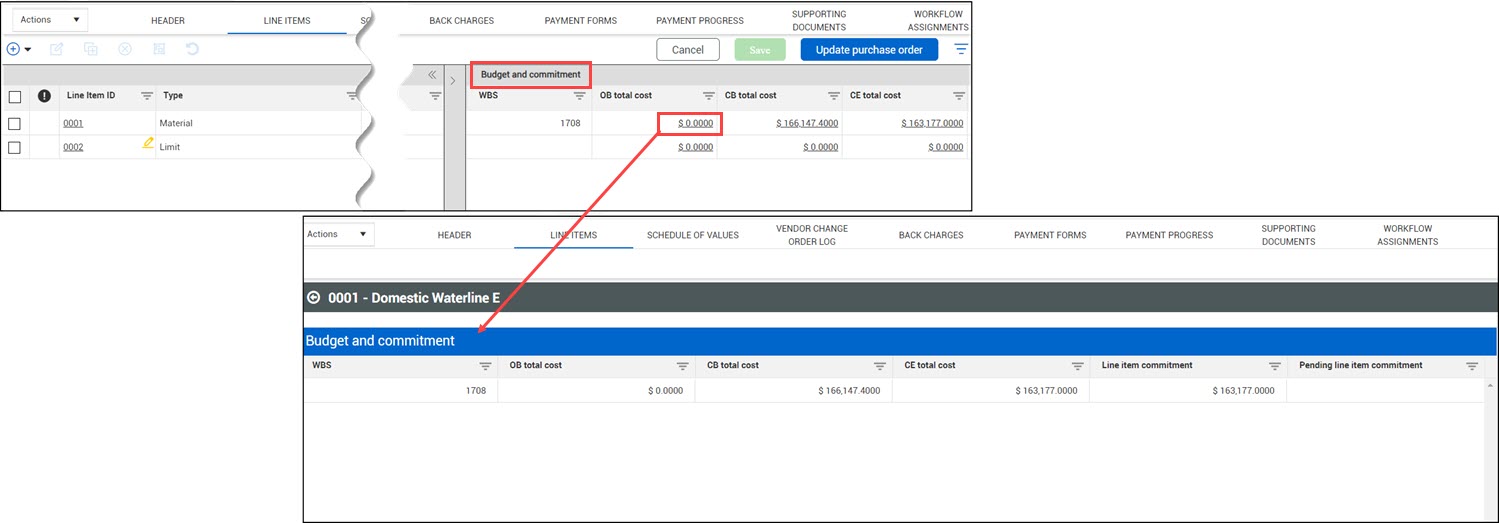
The Line items register lists all line items for the contract. The line items grid contains sections that let you see related columns concurrently. The Line items sections include Details, Budget and Commitment, Change Orders, Progress, Payment Forms, and Accruals/Receipts.
If the Change orders, Payment forms, or Schedule of values features are not enabled in the Contract type configuration in the organization settings (Settings > Contract > Configurations > Contract type configuration setup), the corresponding sections are not shown on the Line items tab.
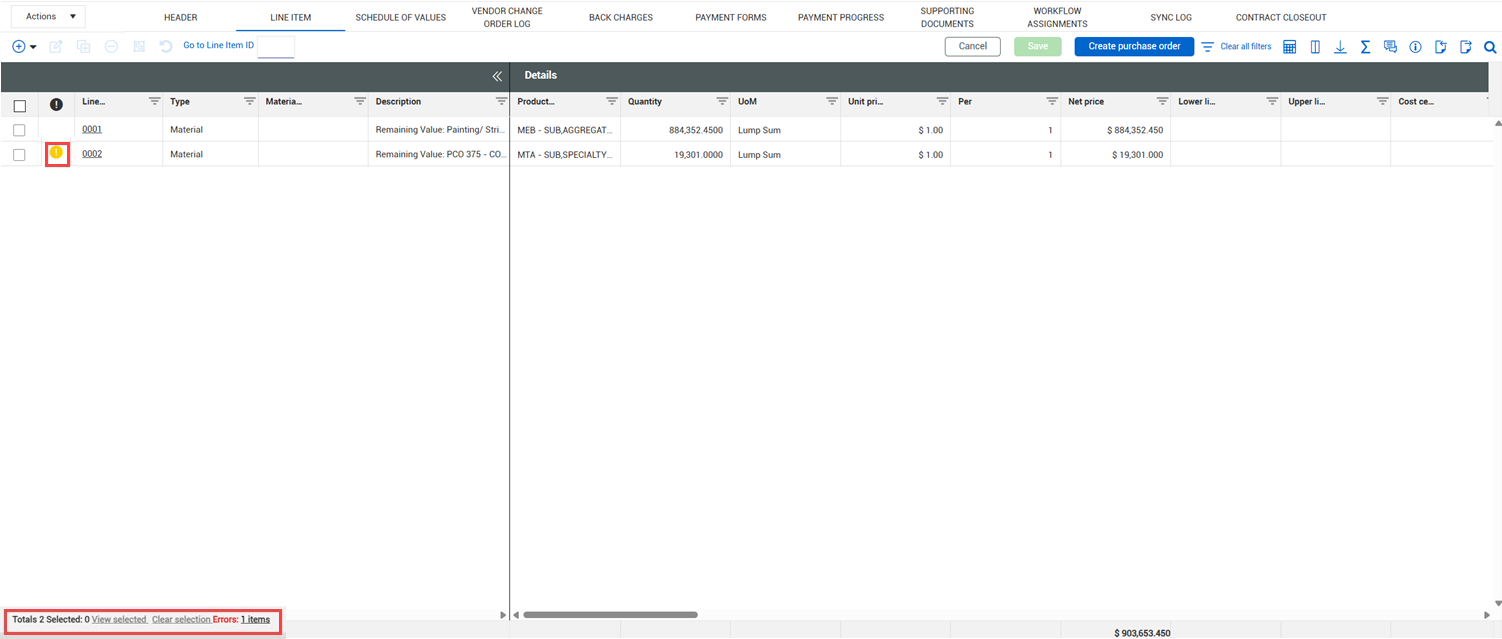
Items with errors show a yellow exclamation point indicator. You can hover over the indicator to see the error. You can then click the Line item ID to edit the field.
The bottom of the grid shows the number of items in the grid, the number of items selected, and the number of errors. To see only the selected items, click View selected. Click Clear selection to deselect all items. You can click the number of errors to see all items with errors.
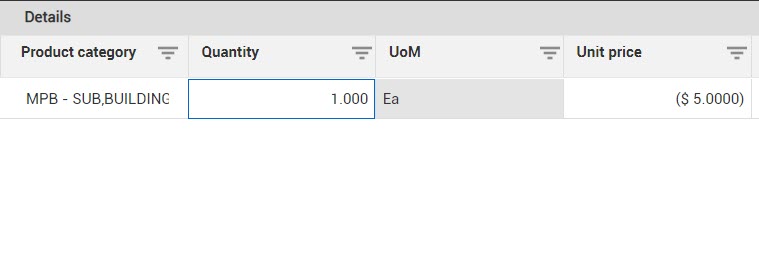
Many fields in the Details section are editable from the register, so you can quickly update a value without opening the Edit details panel. Editable fields are highlighted in blue when you hover over them.
Drill-down views
Some of the views contain links that take you to a detailed page view for additional information.
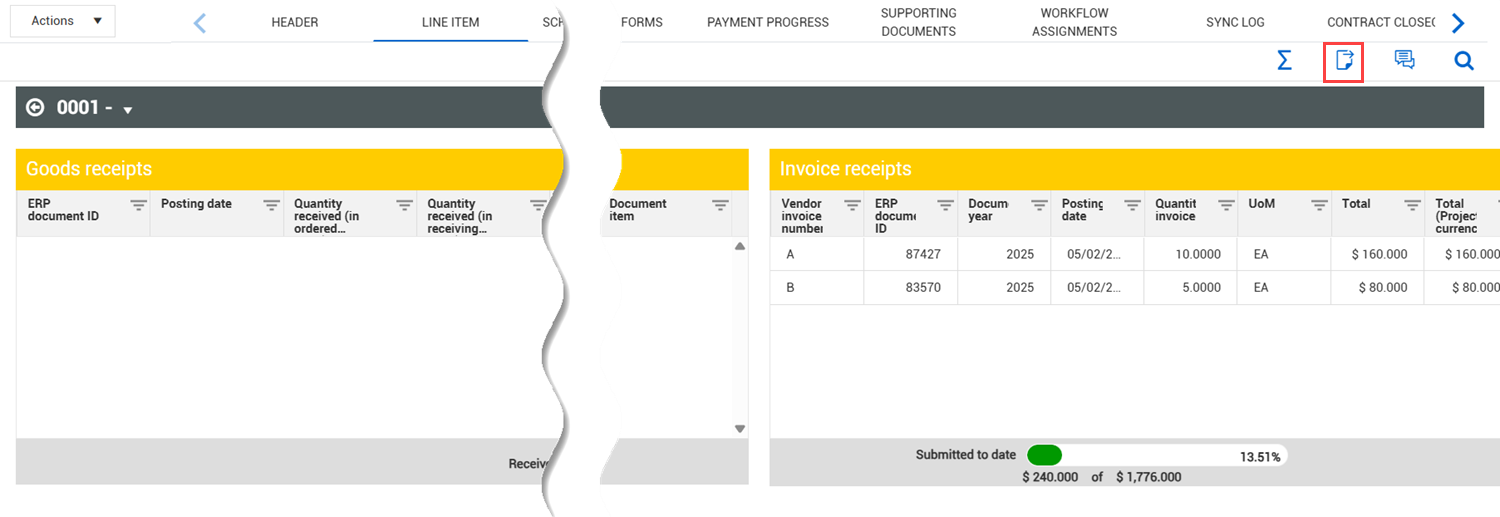
The Progress, Payment forms, and Change views let you export data to a Microsoft Excel spreadsheet to give you easier access to data. Exporting to an Excel spreadsheet can help you scroll quickly through data when you are looking for discrepancies.
To export data, select an item from the drill-down view, and then click the Export icon. The data is exported to an Excel spreadsheet.
If there are multiple grids in the drill-down view, the Excel spreadsheet shows the data on separate tabs.